Three.js Scene
概念
Scene(场景)是一个3D容器,灯光、相机与物体都被放置在这个容器中。
构造器
javascript
import * as THREE from "three";
const scene = new THREE.Scene();
属性
background
场景的背景,可以是Color,也可以是Texture,默认为null
当传入Color对象时,将设置为场景的背景色,传入Texture时,则可以设置背景图片,包括HDR/HDRI贴图
传入Texture示例:
javascript
import { RGBELoader } from "three/examples/jsm/loaders/RGBELoader.js";

const scene = new THREE.Scene(),
    rgbeLoader = new RGBELoader();

rgbeLoader.load("/background.hdr", (envMap) => {
    envMap.mapping = THREE.EquirectangularReflectionMapping; // 设置为Equirectangular Reflection Mapping(ERM)
    this.scene.background = envMap;
});
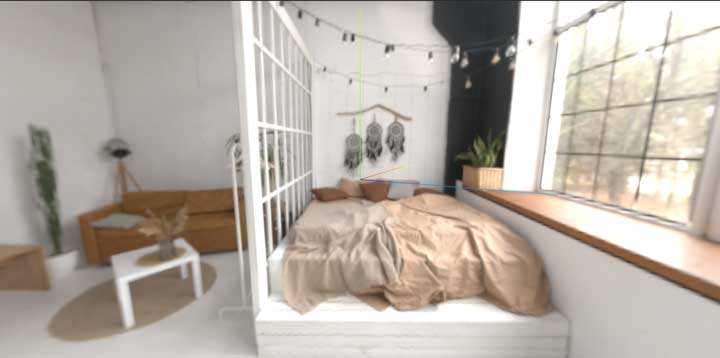
background.hdr原图:
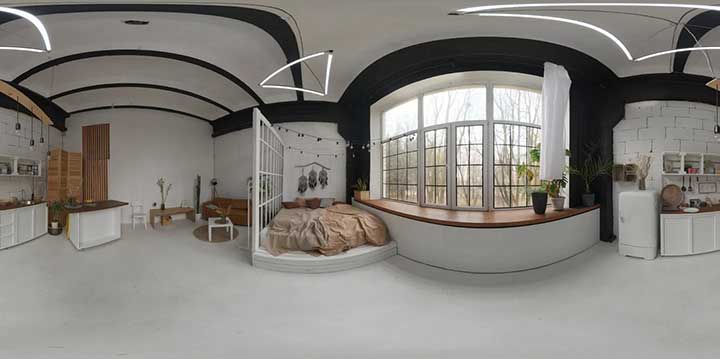
未设置envMap.mapping = THREE.EquirectangularReflectionMapping:
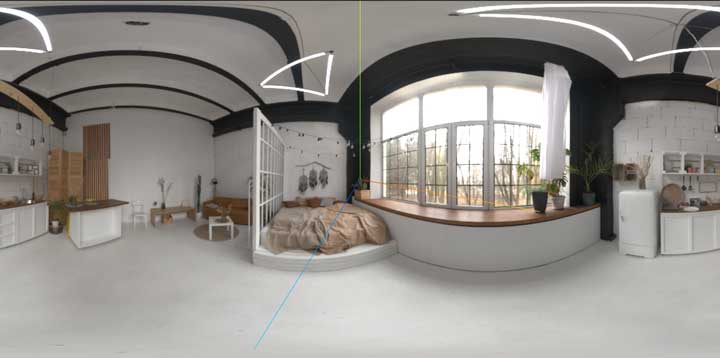
设置了envMap.mapping = THREE.EquirectangularReflectionMapping:
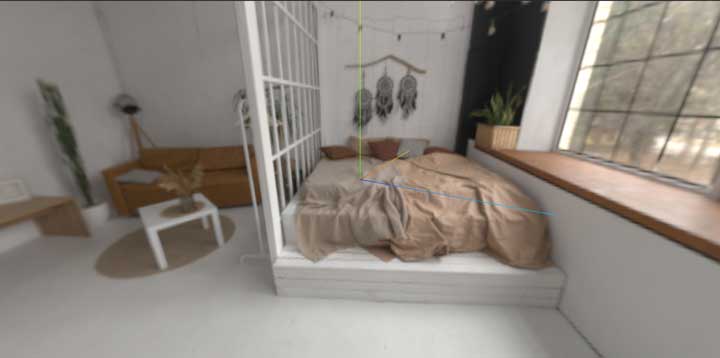
backgroundBlurriness
设置背景的模糊度。仅影响分配给 Scene.background 的环境贴图。有效输入是介于 0 到 1。默认值为 0。
当设置到0.2时,背景就模糊到近乎无法辨认。

backgroundIntensity
官方文档翻译为”减弱背景色“,正确翻译为”背景色强度“。调整背景度明暗,默认值为1。
当设为0时,背景呈现完全的黑色;设置为0~1之间,背景变暗;设置为大于1,背景变亮。
backgroundIntensity=0.2:
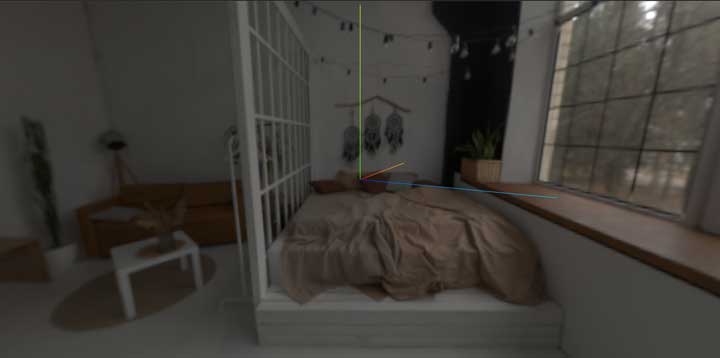
backgroundIntensity=2:
environment
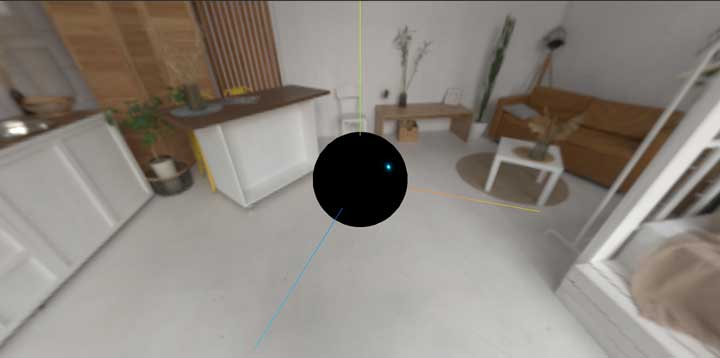
环境贴图,值为Texture。
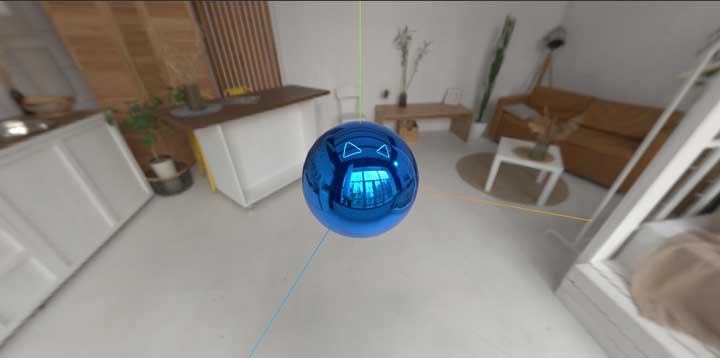
环境贴图与背景贴图有所区别,它并不能直观地体现在Scene上,而是提供给其内部的物体,作为它们的默认环境贴图。
未设置environment:
设置了environment(球表面的反射效果):
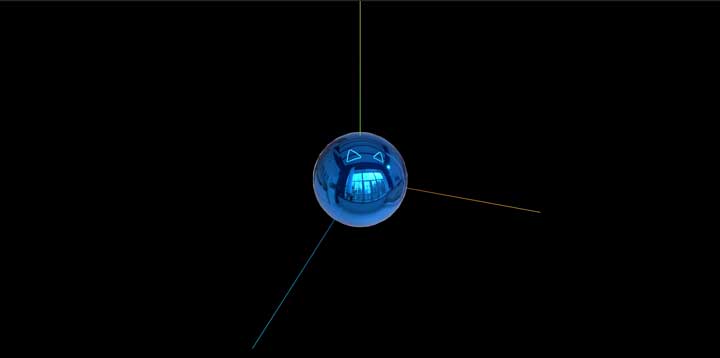
需要注意的是,虽然environment与background经常搭配使用,但它们之间并无强制依赖关系。
设置了environment,但未设置background:
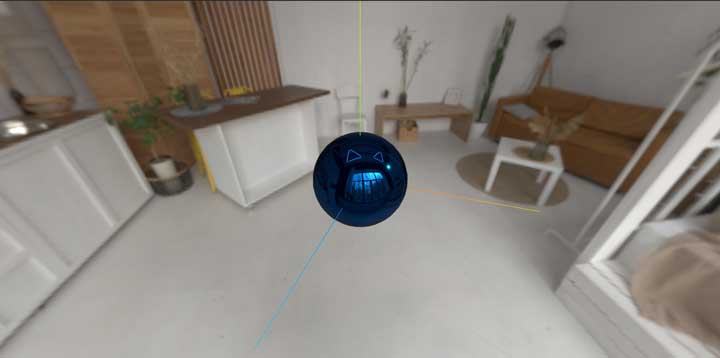
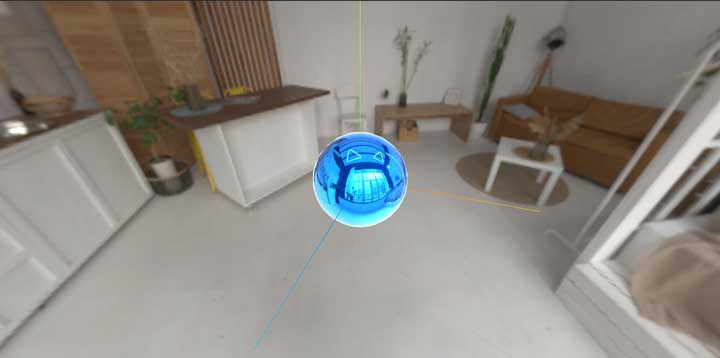
environmentIntensity
与backgroundIntensity相似,影响环境贴图在物体上的反射强度。
设为0.1:
设为5:
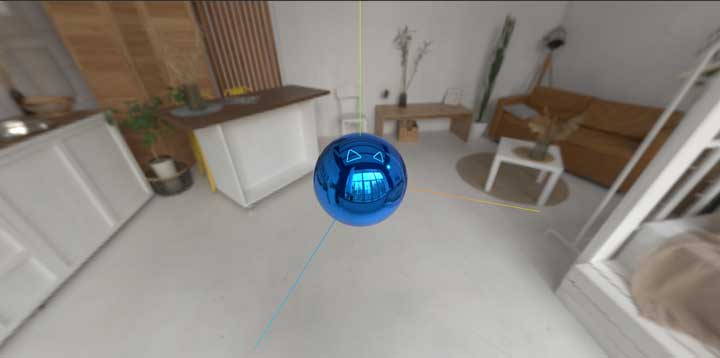
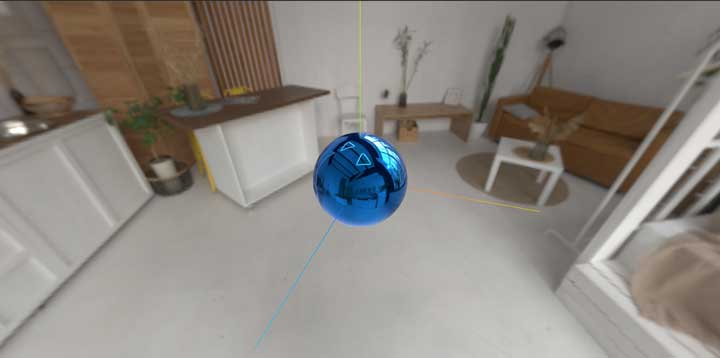
environmentRotation
环境贴图的旋转(以弧度为单位)。仅在使用 .environment 时影响场景中的物理材质。默认值为 (0,0,0)。
取值为Euler(欧拉角)对象。
未设置时:
设置为new THREE.Euler(0, 2, 0)
fog
给场景添加雾气效果,取值为Fog对象。
isScene
一个只读的布尔值,用于检查给定的对象是否属于 Scene 类型。
overrideMaterial
如果不为空,它将强制场景中的每个物体使用这里的材质来渲染。默认值为null。
javascript
scene.overrideMaterial = new THREE.MeshBasicMaterial( {color: 0x00ff00} )
这一功能看似很好用,但在实测时发现,在同时设置scene.overrideMaterial与scene.background属性,且scene.background取值为Texture时,scene.background属性会失效(测试three.js版本为0.173.0,使用WebGLRenderer渲染),但scene.overrideMaterial本身可以成功生效。
方法
toJSON
将scene对象转换为 three.js JSON Object/Scene format(three.js JSON 物体/场景格式)。